
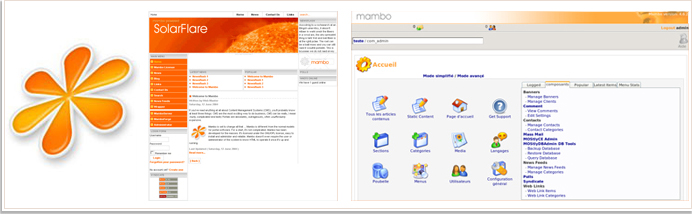
Mambo is a content management system used to create, manage and share content. It can be used for a wide variety of sites from the simplest blogs to complex corporate websites. Mambo has earnt a large number followers with it's award winning software.
Mambo is free to use, and share under the agreement that you do not change the license or the copyright. The powered by mambo logo can be removed from the cms. The cms is released under the GNU GPL agreement.
Mambo has gone above and beyond to make it's program both easy to use and set up.
If you are computer saavy and have a little knowledge about websites and ftp programs mambo is not overly difficult to set up.
You can do without a designer by using the standard default mambo template or by using one of mambo's
free templates. You can view demonstrations of these templates by clicking here.
Also available on mambo's website is a directory of extensions.
An online demonstration of mambo can seen here:mambo demo Please note: There are a large number of free templates available for download. Your mambo website does not have to look like this demonstration website.
There are many mambo tutorials available online, it's simply a matter of finding what your looking for. You can start by visiting www.webzo.org or by a simple google search for "mambo tutorials".
Step 1
Mambo needs to be set up live on a server so the first thing
you need to do is
see our domain name registration page. Once you have purchased a domain name see our web hosting section for a wide variety of plans to choose from.
Step 2
Once you have a confirmation email with your hosting details you can proceed to
download mambo.
Step 3
Once the download has been complete extract all the files to your desktop.
Step 4
You need an ftp (file transfer protocol) to get your website running live on a server. Digital Pacific recommends the
filezilla ftp program.
Follow the link to the website and download the software.
Install the software on your computer and follow the instructions in step 5.
Step 5
To login to your web hosting account use the information in the email that digital pacific has sent you.
Host: www.yoursite.com.au
Username: username@yoursite.com.au
Password: Would have been sent to you via email from digital pacific.
Once you have entered your login information into filezilla click the quick connect button.
If you have trouble connecting to your server then check the host, username and password information you have entered are correct.
Step 6
Upload all files into your mainwebsite_html folder.
Step 7
Login to your ensim control panel www.yoursite.com.au/admin replacing yoursite with your domain and create a new mysql database.
Video Tutorial: create a new mysql database tutorial.
Step 8
The instructions from Mambo will now guide you through the rest of the installation process.
You will find these instructions in the mambo files under install.txt